THE CURE FOR THE NOTE 7 SNAPDRAGON VARIANT

Ask our community anything. We will do our best to help. You will receive an answer quicker via our discord support server.

Moderators: Junior Moderator, Jr. Admin

User avatar
OnThe7thDayBOOM
Rooter
Posts: 20
Joined: Thu Feb 02, 2017 11:16 am

---------------------------------------
ADDED Wifi Fix - Jan 5, 2019 thanks Darius Stacked
ADDED walk-through March 23 2018 - RRiVEN
UPDATED LINK Feb 3 2018 - RRiVEN
UPDATED Death ROM Link April 18, 2018 - RRiVEN

This method only works if you have the death update - If you don't have the death update you need to flash it first

You need a SDCARD in your Note 7 for the flashing to work - THIS IS A REQUIREMENT

*Cell Voice and Data may not work after - there are many reports of people not getting their Note 7 to register on the cell network*

Downloads:

Root Firmware
Bootloader File
PIT File
Death ROM - Only need if you have bootloader 1 or 2

Version 1 Original Note 7
Version 2 Green battery
Version 3 Death update

Pros:
-Can charge to 100%
- Rooted

Cons:
-Fingerprint Scanner does not work (iris does)
-Non US users lose the ability to use Cellular, it becomes a wifi only device
--More than a few US users have said they can't use Cellular services either - do this at your own risk

*Don't update SU binary. Will cause bootloop. Turn off. Notifications*

if you have bootloader 1 or 2 you need the Death Rom - go to step 3 and use the files from the Death ROM

Once you up your bootloader version you can't go back down!! - This means that you can't undo this

(Check your baseband version to see what bootloader you have. example: N930W8VLU3APL1)


Code: Select all

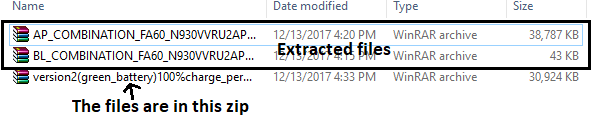
1. Download and extract the files


Code: Select all

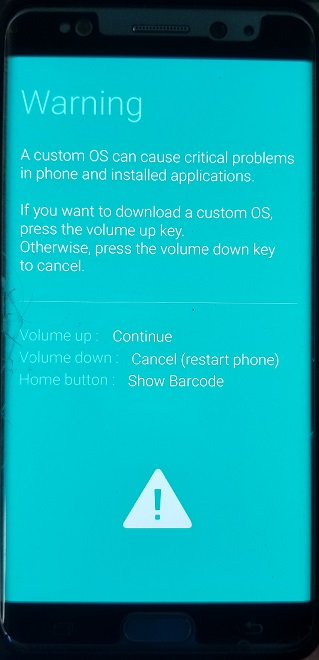
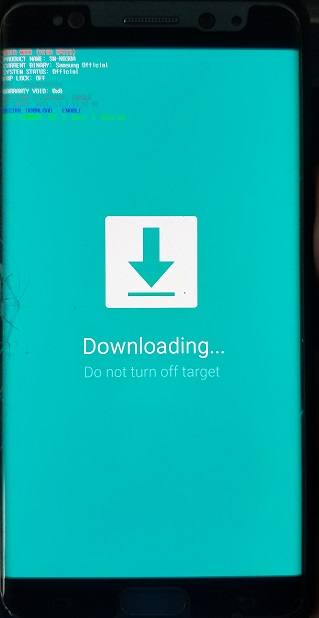
2. Put your phone into download mode by pressing the power button, home button, and volume down button. When you see a blue screen push volume up and connect it to your computer


Code: Select all

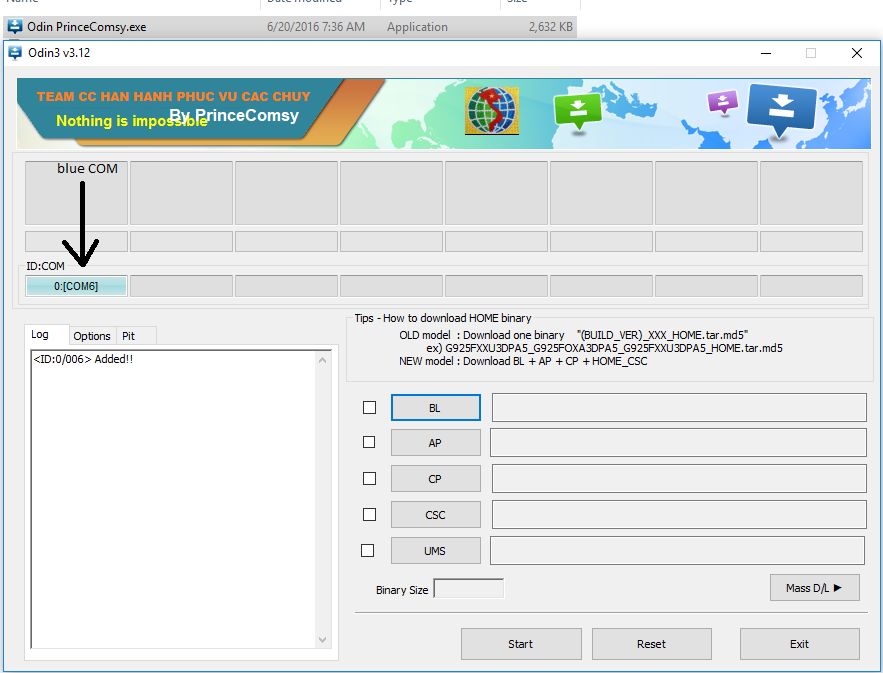
3. Open Cosmy's Odin(you should see your phone connected with a blue COM with a number after the COM)

Code: Select all

4. Use the version 3 files

Code: Select all

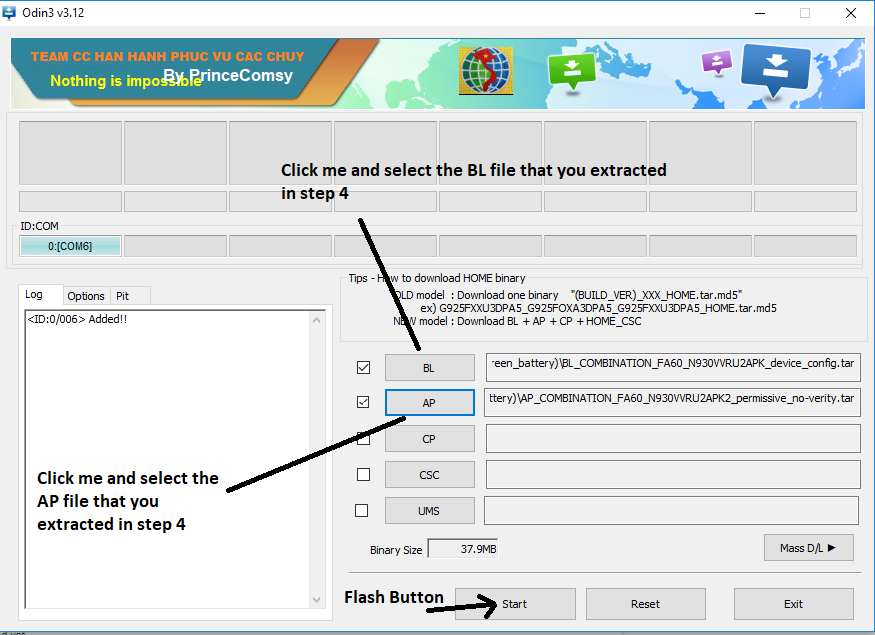
5. Place the BL.tar file of your version and the AP.tar file of your version in the appropriate Odin slot by clicking either the BL odin slot or AP Odin slot and navigate to where the firmware files of your version are saved on your computer(BL Odin slot-BL.tar - AP Odin slot-AP.tar) then press Flash (Start)


Code: Select all

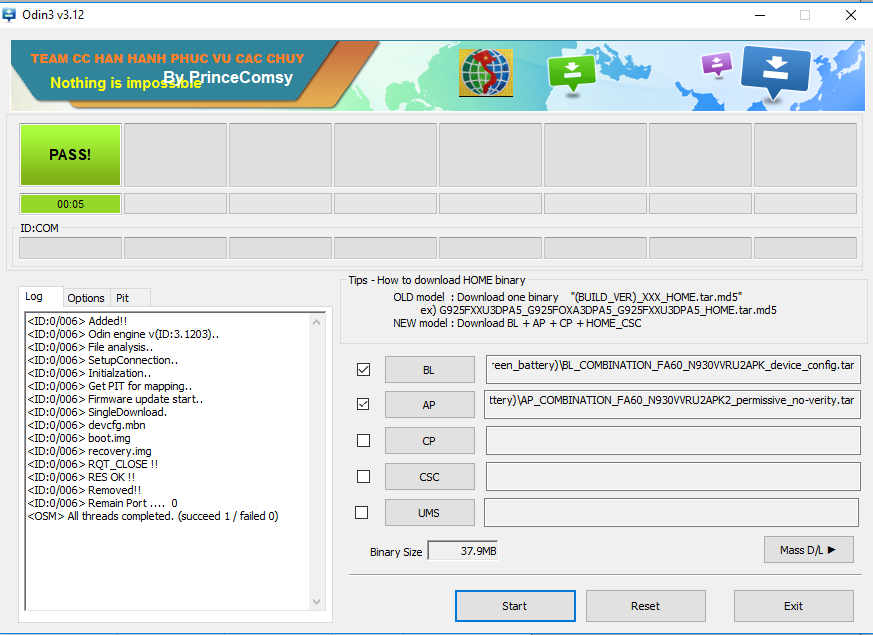
6. When it is completed it will restart your phone. Place it back into download mode. (See step 2)


Code: Select all

7. Press reset on Odin


Code: Select all

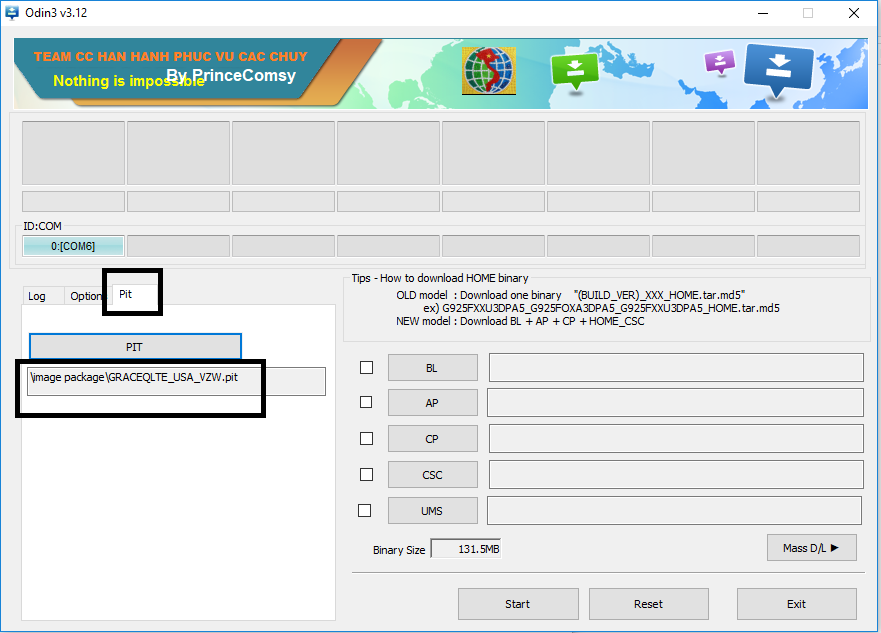
8. FLASH THE PIT FILE  When it reboots go back into download mode (see step 2)
file/Note7Fix/pit.png


Code: Select all

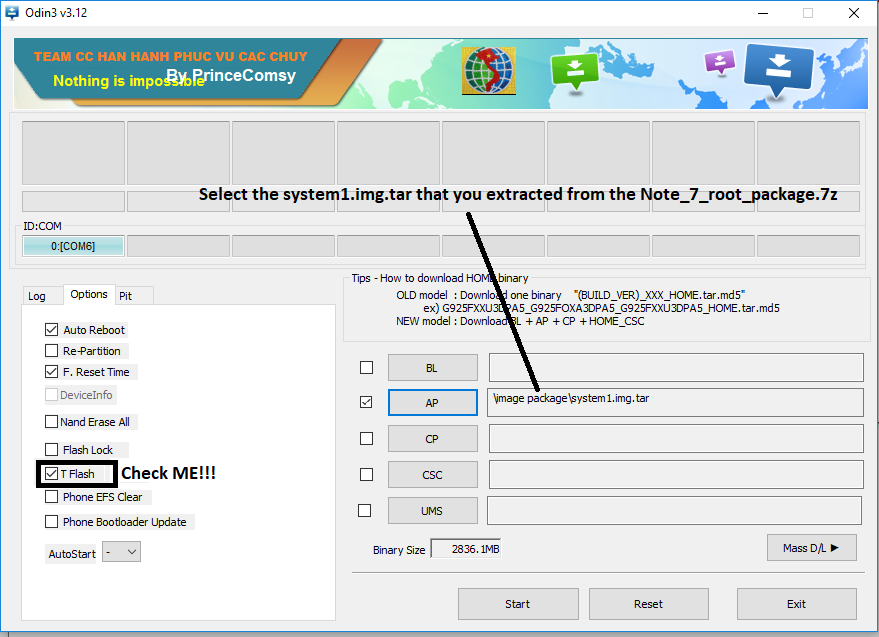
9. FLASH THE SYSTEM1.IMG.TAR FILE IN THE "AP" ODIN BUT YOU HAVE TO TICK THE "T-FLASH" OPTION TO FLASH IT.
This flash takes longer than the first flash Don't rush.
 When it reboots go back into download mode (see step 2)


Code: Select all

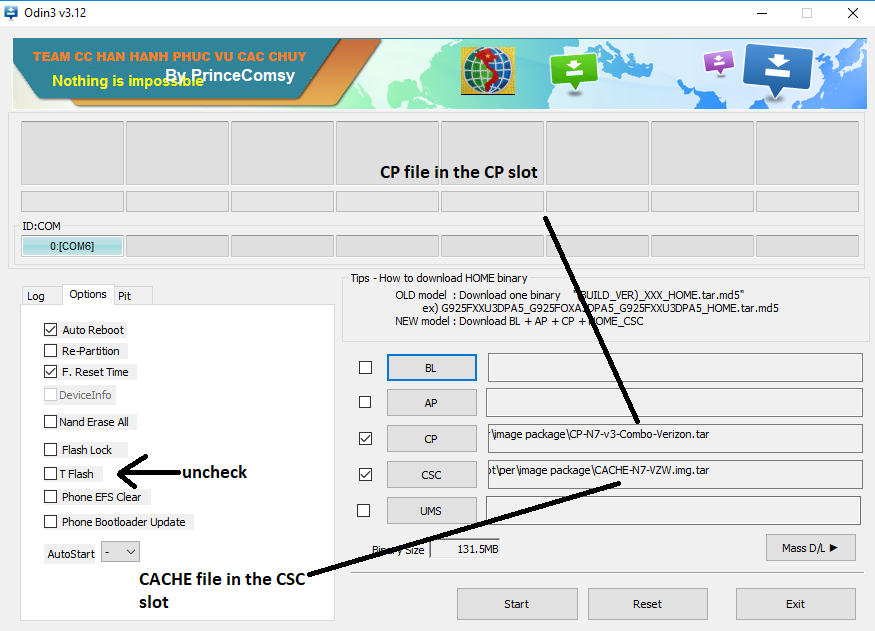
10. Press reset on Odin (MAKE SURE T-FLASH IS NOT CHECKED!!!) PUT THE CP IN THE "CP" SLOT, AND LASTLY PUT THE CACHE.IMG.TAR IN THE "CSC" SLOT and flash.


Code: Select all

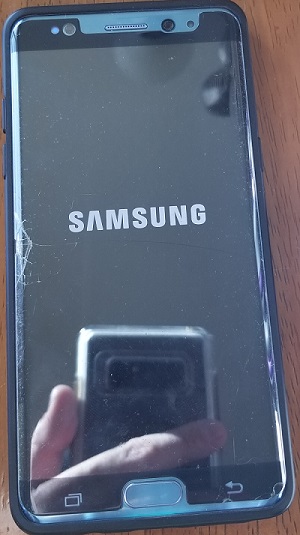
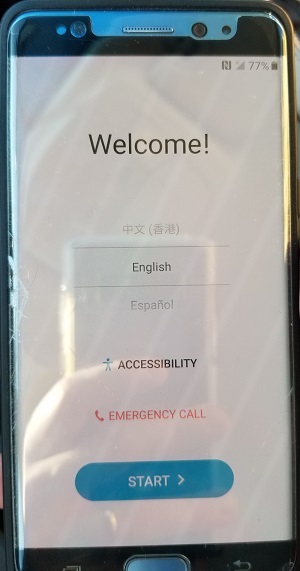
11. NOW YOU WAIT, IT TAKES 20-40 MINS TO BOOT UP BUT WHEN YOU DO, YOU ARE FULL SUPERSU ROOTED AND THE SYSTEM PARTITION IS REMOUNTED AS RW AND ERRORS=CONTINUE(FIXES KERNEL PANICS). CONGRATS!!


Code: Select all

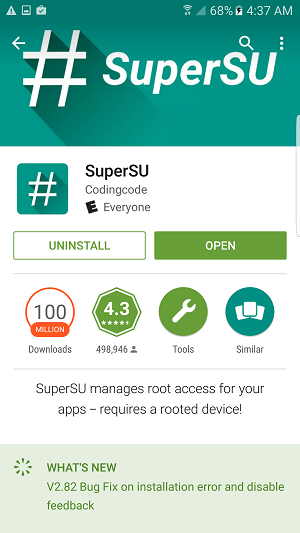
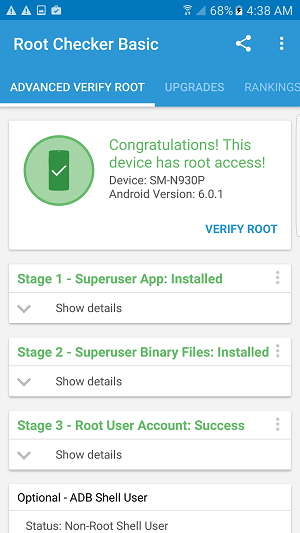
12. Install SuperSU (and Root checker to check) so you have complete root access. DO NOT UPDATE THE SU BINARY just turn off notifications in the app 

Code: Select all

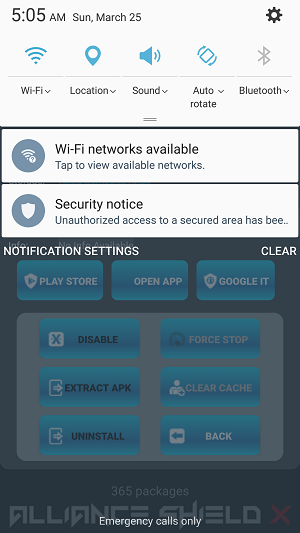
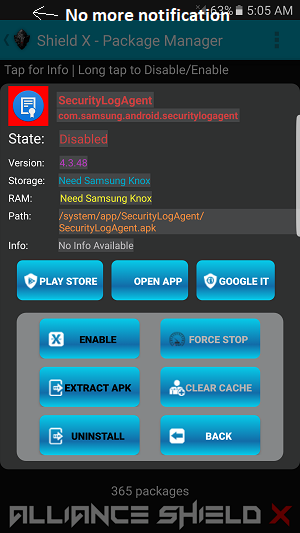
13. Install Alliance Shield, enable v3 with root, reboot then open the shield and go to apps manager. Type SecurityLogAgent and disable it to remove the annoying notification about modified secure storage

Code: Select all

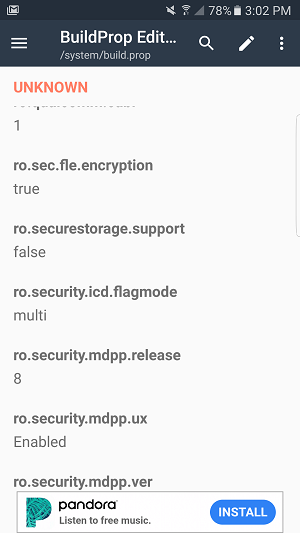
Next you need to edit the /system/build.prop

Code: Select all

change:

ro.securestorage.support=true

to:

ro.securestorage.support=false

save, restart and your wifi passwords will be saved

Code: Select all

I used BuildProp editor from the Play store, it has ads but you only need it for 30 seconds
Congratulations your Note 7 is now fully rooted!!!!

Code: Select all

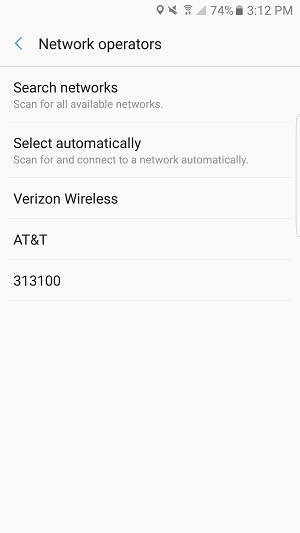
Put your SIM card in if it is out. After power on If you don't have cell connection:
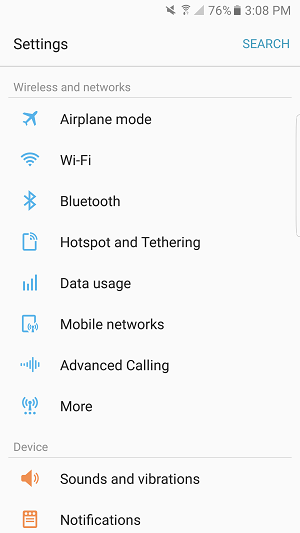
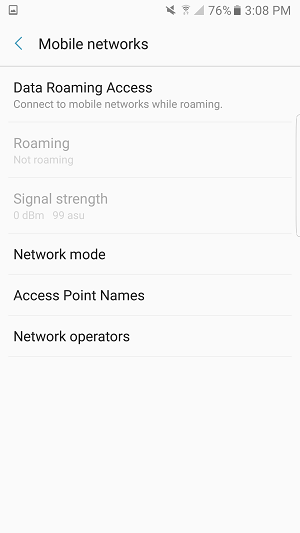
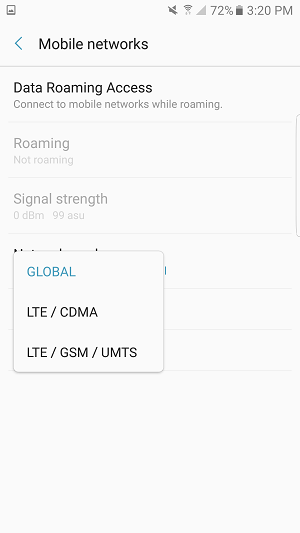
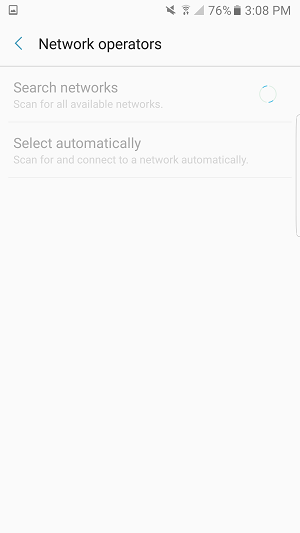
Go to Settings, Mobile Networks, Network Mode -> LTE / GSM / UMTS then Network Operators. It will search for a while then Select your provider. If is asks to switch to Global Mode, allow it

Code: Select all

Add your APN settings if they are not there
I only have Verizon so I can't show the Note 7 on the Network as Verizon is still blocking Note 7's
User avatar
HashPancake
Alliance Member
Posts: 1
Joined: Thu Jan 19, 2017 11:50 pm

only problem is my note wont start up into the recovery screen plugged into my computer, only a fast charger. tried multiple usb3 computers
User avatar
Zerrick01
Alliance Member
Posts: 4
Joined: Sat Oct 07, 2017 10:30 pm

Newbie to this forum, note 7 owner, need complete restore, note 7 comes on goes straight to recovery mode that's as far I get, anyone willing to help me get the note 7 T-Mobile up and running again? Need step by step basic instructions on how to restore fully note 7, [email protected], thanks....
User avatar
Tanero17
Alliance Member
Posts: 1
Joined: Thu Nov 02, 2017 9:28 am

Hi, Can someone help with getting back to stock T-mobile Firmware with T-mobile unlock app. Or, maybe, someone has solution how to install T-mobile unlock app on this firmware and unlock this device. Thanks!
User avatar
KalKent257
Alliance Member
Posts: 22
Joined: Thu Nov 02, 2017 3:28 pm

Hello, can i use this given that i'm currently on N930W8VLU3APL1 firmware, that only charges up to 15% and has wi-fi, bluetooth and mobile data disabled?
User avatar
ingvc.liam
Alliance Member
Posts: 1
Joined: Sun Dec 10, 2017 2:06 am

hola despues de actulizar mi note 7 ya no carga como puedo volver a instalar o hacer que cuelva a cargar
User avatar
biggdude
Alliance Member
Posts: 1
Joined: Mon Jan 22, 2018 5:29 pm

PLEASE HELP
User avatar
dave357
Alliance Member
Posts: 2
Joined: Fri Jan 12, 2018 4:06 am

Chris, this is David Pullen, I have been following your posts on XDA & FB. I have downloaded the Note_7_root_package.zip from the link you gave us on the Alliance FB Group. Is this the version that has WiFi working correctly and also I can use the phone for cellular use after applying the fix. I have 5 of them that won't charge at the moment. I want to fix them or either return them for $930 to Samsung if they will still accept Refund Checks. I definitely don't want to exchange them for a downgrade that they offer. If Samsung would give me the Refund I may just do that. I don't think exchange for a Note 8 is a option honestly. But I'd rather have 5 checks for $930 each anyways. So back to the main question, my bad on getting off topic. Can that zip file be flashed and the phone be useable again on a network sir?
User avatar
RRiVEN
Admin | Developer
Posts: 517
Joined: Fri Dec 02, 2016 11:56 pm

UPDATED LINKS
User avatar
claudie-mar.cadag
Alliance Member
Posts: 9
Joined: Mon Jun 05, 2017 12:01 pm

is this working on sm-n9300?
User avatar
shenghuazhan
Alliance Member
Posts: 1
Joined: Sat Mar 17, 2018 8:28 am

my n930v can't use neither fingerprint scaner nor iris,canu help me?
User avatar
noname
Alliance Member
Posts: 3
Joined: Mon Apr 09, 2018 12:14 am

Has anyone had success getting this to work on a phone that was running N930VVRS2APHE?
I have a 16GB sdcard in the phone. Not sure this matters, but the OP stated that an sd card was required.
Before starting the process I enabled OEM unlock. The phone shows FRP as being off.

I followed the steps, using the v2 bootloader binary.
After doing everything, when it boots into the install menu, it starts by saying erasing, then counts from 0% up to 25%, then skips to 32% then says erasing again.
After this it just keeps boot looping

I tried to go into the recovery menu, and it shows Recovery booting... in the top left corner and then reboots.

Any help would be much appreciated
User avatar
noname
Alliance Member
Posts: 3
Joined: Mon Apr 09, 2018 12:14 am

I just flashed my phone back to stock, and noticed that while installing the software. It counted to 25% and then skipped to 32% then it erased and rebooted. however this time it booted up properly into the old firmware. Guess the percentage portion was just a red herring.
User avatar
robie69
Alliance Member
Posts: 1
Joined: Sat Apr 14, 2018 6:26 pm

I have the same issue as described above.
I "upgraded" to the death update as required.
I followed the steps, using the v3 bootloader binary (death update)
After doing everything, when it boots into the install menu, it starts by saying erasing, then counts from 0% up to 25%, then skips to 32% then says erasing again.
After this it just keeps boot looping.
Been trying this for three days now, and Now my phone is in death mode...

Any help would be much appreciated
User avatar
mackga2
Alliance Member
Posts: 1
Joined: Tue Jan 03, 2017 5:37 pm

When I install SuperSU and do SU Binary update and reboots it stuck in Samsung logo and vibrates every 5 sec.
Do I have to install TWRP/CWM binary?
Post Reply